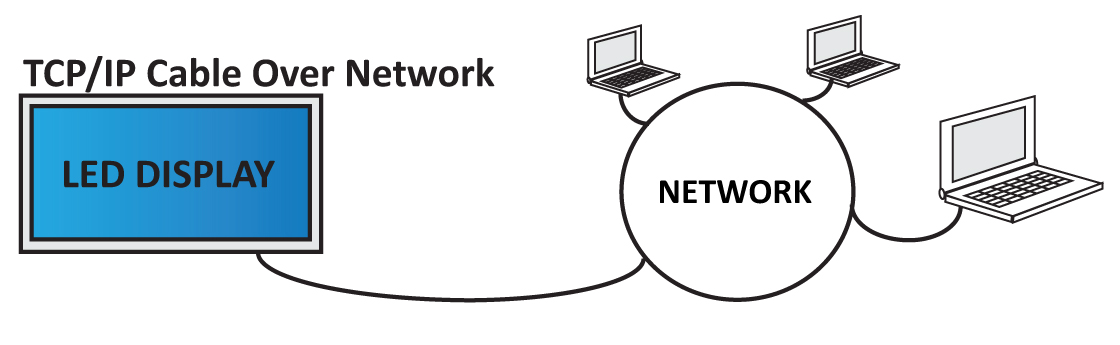
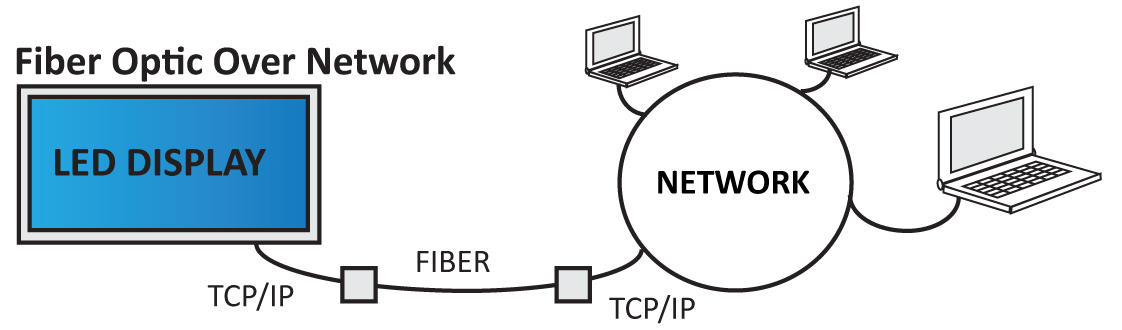
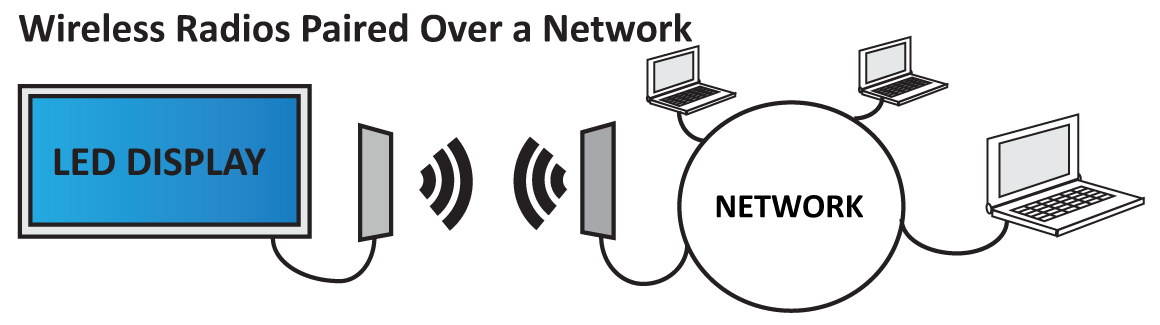
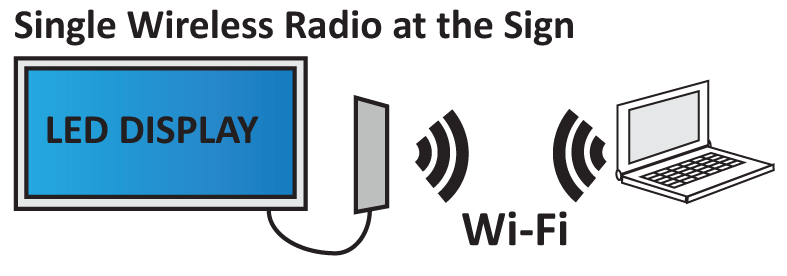
-Scott Hofheins
The invention of the computer changed the way we see and interact with the world forever. Likewise, networking these computers together changed their very definition. It lets them work together like a single organism powering the internet, cloud applications, email, commerce, Youtube, Google...you name it.
The sign industry is no exception. We’ve gone from basic serial communication, to high speed 4G Cellular modems on full color digital billboard networks. Knowing how computers and networks function, even on a basic level is a worthwhile goal for anyone in the industry. My intention is to keep this as simple as possible, while still providing an accurate picture of how it all works.
Network Neighborhood
These days a computer can be anything: cellphones, laptops, desktops, signs, even cars! Networks are a collection of these devices organized into virtual neighborhoods in a virtual world. Just like us, these devices share information, maintain their ‘home’, and communicate with others across the globe. They have laws and standards that they must abide by, or the system can break. We call the most fundamental law TCP/IP and is the final word in whether or not devices can communicate with the others.
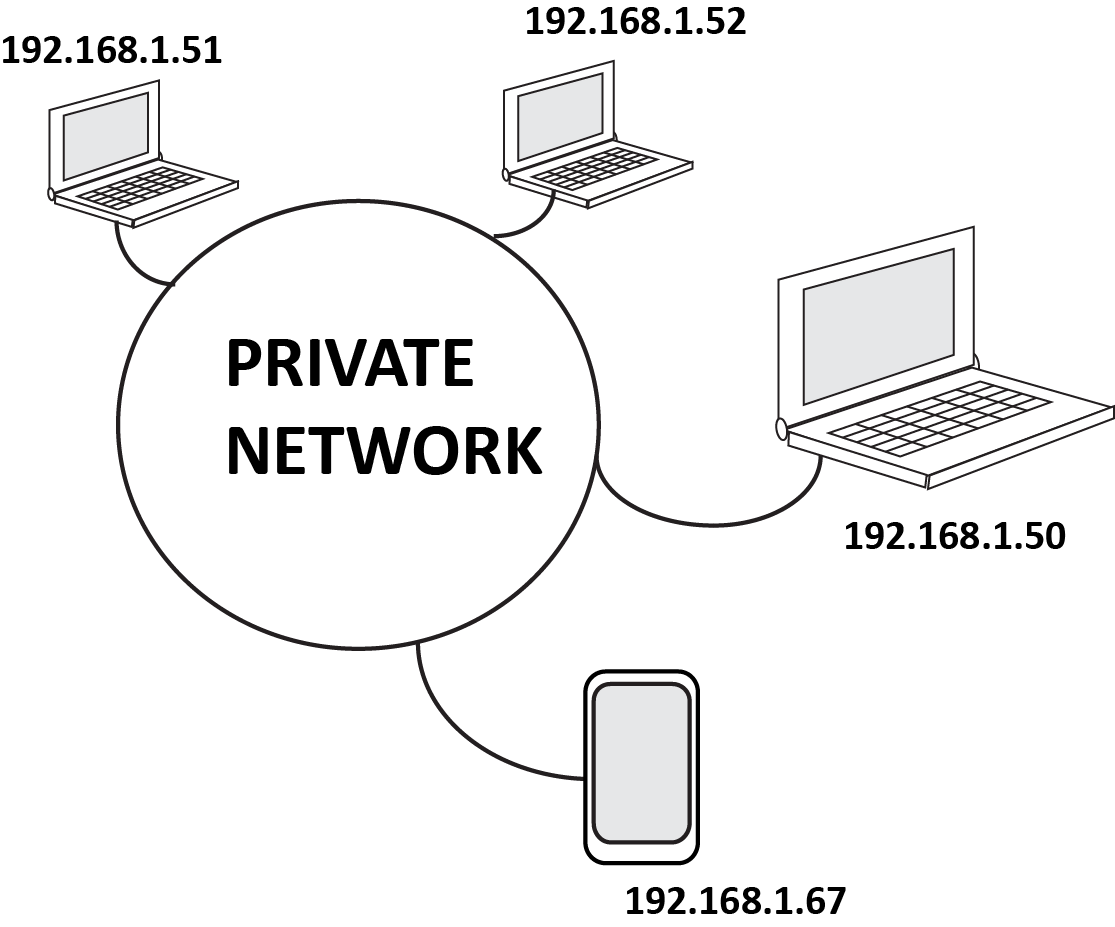
These days a computer can be anything: cellphones, laptops, desktops, signs, even cars! Networks are a collection of these devices organized into virtual neighborhoods in a virtual world. Just like us, these devices share information, maintain their ‘home’, and communicate with others across the globe. They have laws and standards that they must abide by, or the system can break. We call the most fundamental law TCP/IP and is the final word in whether or not devices can communicate with the others.
Addresses
Just like your house, these devices must have registered addresses according to TCP/IP rules. The address and other settings will look something like this:
- IP Address: 192.168.1.50 (your actual address)
- Subnet: 255.255.255.0 (the limitations of your address)
- Gateway: 192.168.1.1 (the address of the gateway to the internet)
- DNS #1: 192.168.1.1 (the address of your phone book)
- DNS #2: 8.8.8.8 (your backup phonebook)
Organization and Keeping the Peace
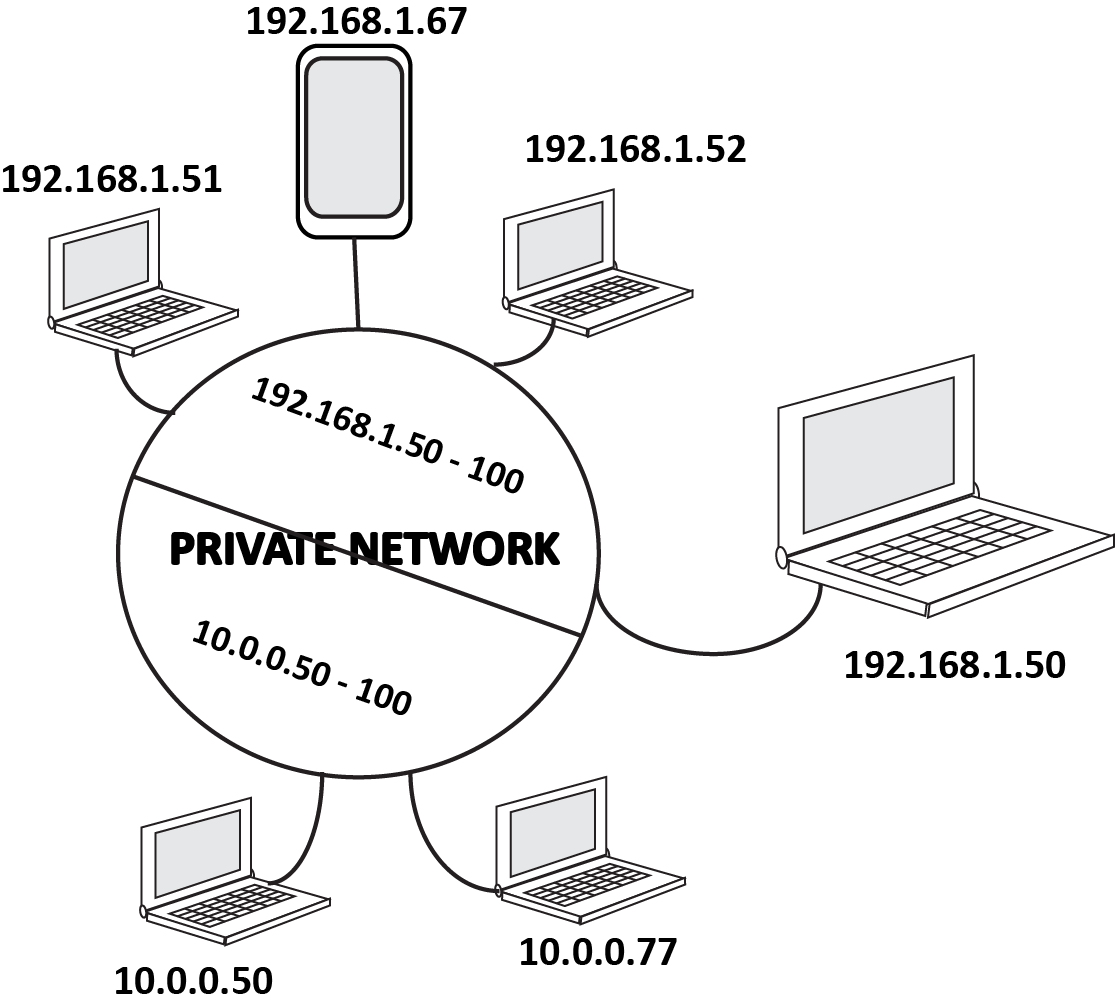
To avoid miscommunication and provide standard design structures for our private networks, TCP/IP tells us that our devices cannot communicate with another device unless it they both have addresses within a designated range. This is important for security and organization. You may not want the Hatfield area talking to the McCoys, it could get ugly. So you setup your Hatfield devices on a range of 192.168.1.50 thru 100, and your Mccoys on a range of 10.0.0.50 thru 10.0.0.100. This way, they still live in the same network without causing any issues.
Public and Private
Because this entire virtual world is governed by a strict numerical government, there is a limited number of addresses available. To minimize this problem, they have separated the world into Private Networks, and Public Networks. Private Networks have a smaller number of addresses they can use legally, at their leisure. The Public Network has all the rest of the addresses, governed by the almighty ICANN. They keep a record of all public addresses and who they are assigned too. All communication between Private and Public networks rely on this record.
Because this entire virtual world is governed by a strict numerical government, there is a limited number of addresses available. To minimize this problem, they have separated the world into Private Networks, and Public Networks. Private Networks have a smaller number of addresses they can use legally, at their leisure. The Public Network has all the rest of the addresses, governed by the almighty ICANN. They keep a record of all public addresses and who they are assigned too. All communication between Private and Public networks rely on this record.
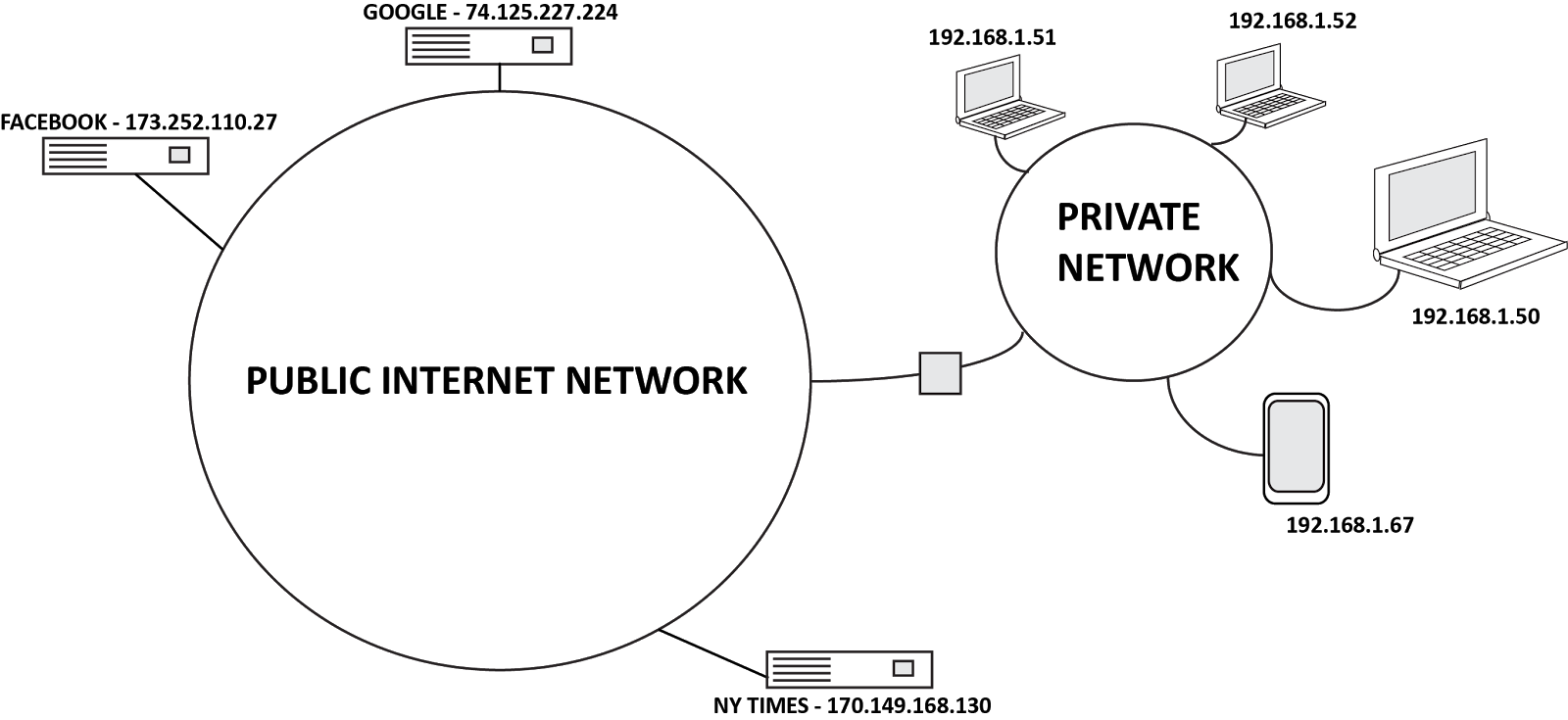
Private address numbers can be duplicated, as long as the duplicate numbers aren't in the same network. The mail labeled 1600 Pennsylvania in Springfield MO, will not go to the White House at 1600 Pennsylvania in Washington DC because they are in different "neighborhood". This is why it’s important that Public Addresses cannot be duplicated number for number, because they are in a single neighborhood we call “The Internet”.
Gated Communities
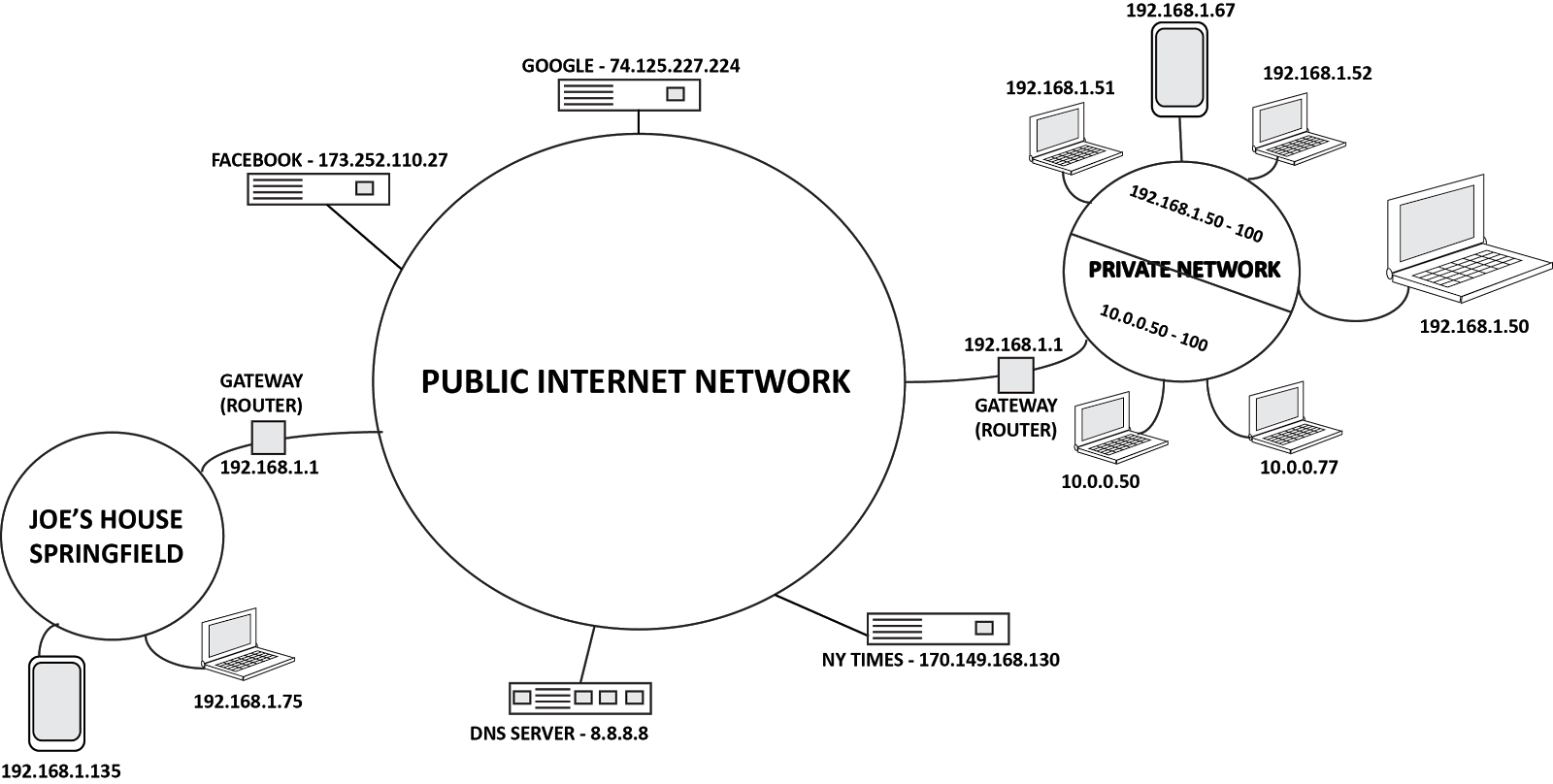
So how do we communicate with the public addresses like Google, or Facebook? Or across the internet, to email our grandma? Well it’s all about The Gateway. Every private network that wants to communicate to the outside world (or in some cases a larger internal network) must have a Gateway to these places. This is a device like a router, that will direct your devices communications back and forth correctly, over the internet. In other words, the gateway is the device that labels your communication for 1600 Penn in Springfield, MO...not Washington DC.
The Phone Book
Numbers are great, but not so easy to remember. You really don’t want to have to type in 74.125.227.224 to get to Google right? So we have DNS, or Domain Name Servers. These devices keep track of who’s name, is associated with what number. So when you type google.com, the DNS server looks up the number for that name, and sends you to the right place. Usually your Gateway (Router) will communicate directly with the DNS servers online, (this is why in a typical home network your Gateway address and DNS address are the same).
The Phone Book
Numbers are great, but not so easy to remember. You really don’t want to have to type in 74.125.227.224 to get to Google right? So we have DNS, or Domain Name Servers. These devices keep track of who’s name, is associated with what number. So when you type google.com, the DNS server looks up the number for that name, and sends you to the right place. Usually your Gateway (Router) will communicate directly with the DNS servers online, (this is why in a typical home network your Gateway address and DNS address are the same).
The Basics
It seems complicated at first, but when you really lay it out and look at the basics, it starts to make sense. Just remember these key points.
- Every device must have an IP address to access the network.
- To communicate with other devices, the addresses for each device must be in the same range.
- Devices access the internet through a Gateway. If you do not provide a Gateway address for the device, it can still communicate to your private network, but no further.
- The DNS server is your phone book, it looks up the numerical IP address associated with the name you typed into the browser and sends you to the right place.
I hope this post has been informative and helpful. As usual, I welcome ALL constructive comments. Please feel free to comment and add anything I’ve missed, or additional tips you may have regarding this topic. Please visit www.vantageled.com for many other resources, white papers, and of course: Great looking LED Signs!
**All posts/thoughts/writings are strictly the viewpoint of me and me alone and do not reflect nor speak for Vantage LED’s beliefs, attitudes, thoughts, etc. unless specifically stated.